Calculating room square footage is a core task for home renovators, flooring installers, interior designers and DIY homeowners. Accurate area numbers dictate material orders, project budgets and labor cost estimates for every residential upgrade.
Most standard measuring tools only support perfect squares and rectangles. Real-world homes rarely feature simple box layouts. Closet nooks, curved walls, angled extensions and multi-section living spaces create uneven, irregular room shapes that break basic measurement math.
Manual math for these complex layouts leads to costly mistakes. Underestimating square footage results in insufficient paint, carpet or tile, while overestimating wastes money on excess building supplies.
A reliable square footage calculator for irregular room shapes eliminates all these calculation errors. It is built to process multi-part, curved and angular room layouts and deliver precise total square footage in minutes.
This full tutorial covers the flaws of manual irregular room measurement, key advantages of specialized calculators, non-negotiable tool features, common real-world use cases and a detailed beginner workflow to master the tool every time you measure a space.
Common Problems With Manual Measurement of Irregular Room Shapes
Working out square footage for odd room layouts by hand creates a long list of avoidable errors and frustrating delays for both professionals and hobbyist homeowners.
Complex multi-section math errors
Standard room measurement formulas only work for four-sided uniform spaces. Irregular rooms split into triangles, trapezoids and curved segments require separate equations for every segment. Mixing formulas or miscalculating segment dimensions skews the final total area drastically.
Time-consuming segment breakdown work
To measure an irregular room manually, you must split the floor into separate simple shapes, record each length and width, calculate individual areas, then add every result together. This multi-step process takes far longer than a single digital calculation.
Easy miscalculations for curved wall spaces
Rooms with bay windows, rounded corners or curved entryways cannot be measured with basic length-times-width math. Estimating curve area by eye always produces inaccurate square footage figures.
Risk of over or under ordering renovation materials
Even small measurement gaps add up across large rooms. A wrong square footage reading leads to either running out of flooring mid-project or purchasing hundreds of square feet of unnecessary material that cannot be returned.
No quick way to adjust layout changes
If you alter a room’s planned layout mid-renovation, recalculating every segment manually means repeating the entire measurement process from scratch. There is no fast way to tweak dimensions and recalculate total area instantly.
Human error in unit conversion
Many DIY workers switch between feet, inches and yards while measuring. Converting units across dozens of separate room segments by hand creates arithmetic mistakes that ruin the final square footage total.
Core Benefits of Square Footage Calculator for Irregular Room Shapes
Adding a dedicated square footage calculator for irregular room shapes to your renovation toolkit streamlines every measurement task and removes nearly all risks of human calculation failure.
Supports all non-standard room geometry types
This specialized calculator accepts inputs for rectangles, triangles, trapezoids, partial circles and curved wall segments. No matter how oddly shaped a room may be, the tool accepts segmented layout data and combines all areas automatically.
Delivers instant, precise total square footage
After entering all segment dimensions, the tool computes combined area within seconds. You skip manual addition, formula lookup and unit conversion steps entirely.
Cuts measurement and planning time drastically
What would take 20 to 30 minutes of manual math finishes in under one minute with the calculator. You spend less time crunching numbers and more time planning material lists and project timelines.
Eliminates costly material ordering mistakes
Accurate square footage outputs let you order exact quantities of paint, hardwood, vinyl, tile and wall coverings. You avoid expensive leftover supplies and last-minute emergency material runs mid-renovation.
Simple unit switching for all measurement standards
The tool lets you toggle between feet, inches and square yards without recalculating every segment manually. Switch units mid-project to match supplier sizing standards instantly.
Editable dimension inputs for layout adjustments
If you adjust wall placements, add built-in nooks or remove angular sections from your room plan, you simply edit the relevant numbers in the calculator. The total square footage refreshes automatically with no full rework required.
Usable for both professional trades and DIY home projects
Contractors, interior designers, real estate agents and casual homeowners all benefit equally. The tool balances advanced geometric calculations with a simple, intuitive interface that requires no advanced math knowledge to operate.
Must-Have Features of a High-Quality Square Footage Calculator for Irregular Room Shapes
Not all area calculators handle uneven room layouts properly. When selecting a trusted square footage calculator for irregular room shapes, prioritize these layout-focused functional features to guarantee reliable measurements every time.
Multi-shape segment entry panel
Top-tier calculators include separate input tabs for rectangles, right triangles, trapezoids and circular curve sections. You can add unlimited individual room segments to replicate any irregular floor layout exactly.
Combined total area auto-sum function
After inputting every segmented section of your room, the tool automatically adds all individual shape areas to display a single total square footage value for the full space. No manual addition required by the user.
Curved wall and bay window calculation module
Look for built-in curve measurement tools for rounded corners, bay windows and arched room extensions. This feature eliminates rough visual estimates for curved floor space that skew manual measurements.
Flexible unit conversion controls
Built-in toggles for square feet, square inches and square yards let you adjust output units with one click. All segment measurements update their converted values simultaneously for consistency.
Temporary measurement save functionality
You can store partial room dimension sets and return to finish inputting segments later. This is ideal for large multi-room homes or complex open-concept layouts measured over multiple trips.
Deduction area input feature
Many irregular rooms include non-floorable zones such as built-in cabinet bases, permanent stairwells or support pillars. The calculator lets you subtract these fixed areas from the total room square footage for usable surface measurements.
Clear, simplified output breakdown
Alongside the final total square footage, the tool displays a line-by-line breakdown of each individual segment’s area. This lets you double-check each measured section for typos or misrecorded dimensions easily.
Common Real-World Use Cases for Irregular Room Square Footage Calculators
A versatile square footage calculator for irregular room shapes fits every residential and commercial measurement task that involves non-uniform floor layouts, for both amateur and professional users.
DIY home flooring installation
Homeowners replacing carpet, laminate or vinyl often deal with rooms featuring angled walls, closet cutouts and offset nooks. The calculator generates precise footage to buy the exact amount of flooring planks or rolls needed.
Interior paint and wall covering projects
Accurate square footage dictates paint, wallpaper and peel-and-stick wall covering quantities. Odd-shaped rooms with recessed alcoves and slanted walls require segmented calculations the tool handles effortlessly.
Custom furniture and rug sizing planning
When ordering custom rugs, sectional sofas or built-in cabinetry for irregular rooms, precise area measurements help designers match furnishings to the usable floor space without wasted layout space.
Professional residential renovation estimating
Contractors use the calculator to create accurate project quotes for clients. Precise square footage data ensures material and labor cost estimates are transparent and free from undercalculation risks.
Real estate listing space documentation
Agents measuring unique apartment layouts, historic homes with curved architecture or attic conversion spaces need reliable square footage numbers for official property listings and buyer disclosures.
Basement and attic remodel layout planning
Attics and unfinished basements frequently feature sloped ceilings, support columns and uneven segmented floors. The calculator separates usable living space from structural obstructions for clear area totals.
Commercial small shop layout design
Cafés, boutique retail spaces and home offices often have angled partition walls, curved display zones and offset storage nooks. The tool calculates usable floor space for retail fixture and workstation planning.
Step-by-Step Complete Guide: How to Use Square Footage Calculator for Irregular Room Shapes
Follow this straightforward, beginner-friendly workflow to capture fully accurate square footage for any complex, irregular room layout using your specialized calculator tool.
Step 1: Map out your irregular room into simple segmented shapes
Walk through the full room and visually split the uneven floor layout into basic geometric segments the calculator supports. Separate rectangles, triangular alcoves, trapezoid extensions and curved bay window sections into individual groups.
Mark each segment with a small label on a rough paper sketch to avoid mixing up dimensions during input. Note down any permanent obstructions (pillars, built-ins) you will need to subtract later.
Step 2: Measure length and width for every individual segment
Grab a standard tape measure and record the exact linear feet and inches for each wall edge of every segmented shape. Measure from wall to wall, ignoring temporary furniture for accurate raw floor dimensions.
For curved bay windows, measure the straight back wall and the curved front arc length to capture the full partial-circle segment data required by the calculator’s curve module.
Step 3: Launch the square footage calculator for irregular room shapes
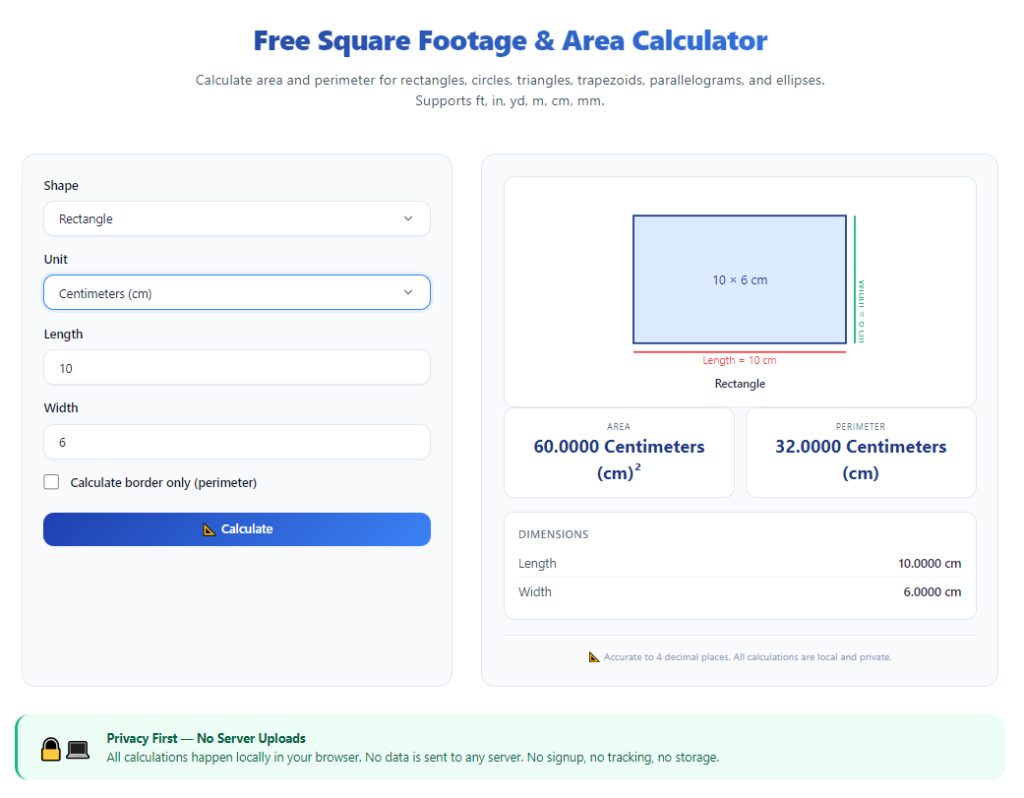
Open the tool on your browser or device. The main dashboard will display separate input sections for each supported shape type: rectangle, triangle, trapezoid and curved circular segments.
Take 30 seconds to review the control layout, including unit toggles, add segment buttons and the total area result panel at the bottom of the screen.
Step 4: Input dimensions for your first room segment
Select the matching shape tab for your first measured section, then type in the length and width measurements you recorded from your tape measure. Double-check number values to avoid typos that skew final results.
Hit the add segment button to lock this shape’s area into the running total calculation before moving to the next section of the room.
Step 5: Repeat segment input for all remaining room sections
Cycle through each shape tab one by one, entering measured dimensions for every alcove, angular extension and curved wall zone you mapped out earlier. Continue adding each completed segment to the running total as you finish data entry.
Do not skip small nooks or closet cutouts—these tiny segments add significant square footage to the final total when combined.
Step 6: Input deduction areas for permanent obstructions
Locate the subtract area panel on the calculator interface. Enter the square footage of fixed, non-usable floor zones such as structural support pillars, built-in floor cabinet bases or permanent stair landing blocks.
The tool will automatically remove this deduction value from your combined total room area to display usable floor square footage for materials.
Step 7: Adjust measurement units to match your project needs
Use the unit conversion toggle to switch the output format between square feet, square inches or square yards. Most flooring and paint suppliers list material quantities by square foot, making this the default recommended setting for renovation planning.
All pre-entered segment areas will convert simultaneously, so you do not need to retype any dimension numbers after switching units.
Step 8: Review the full breakdown and total square footage result
Examine the line-by-line segment area breakdown above the final total value. Cross-reference each listed segment measurement against your handwritten sketch to catch any mistyped length or width figures.
If any segment shows an implausibly high or low area value, return to that shape’s input tab and recheck your tape measure recorded numbers.
Step 9: Edit dimensions if you adjust the room layout
If you plan to remove a partition wall, add a new closet nook or resize an alcove during renovation, simply open the relevant segment’s input tab and update the length or width values. The total square footage recalculates instantly with no need to re-enter all room segments from scratch.
Step 10: Save or copy the final square footage data for project planning
Use the one-click copy function to save the full measurement breakdown and total square footage to your clipboard. Paste the data into your renovation spreadsheet, material shopping list or client estimate document for future reference.
Store your room segment sketch alongside the copied calculator results to reference measurements when purchasing flooring, paint or custom furnishings.
Common Mistakes to Avoid When Using Square Footage Calculator for Irregular Room Shapes
Even with a feature-rich square footage calculator for irregular room shapes, these frequent user errors create inaccurate area readings and costly renovation planning missteps.
Failing to split the irregular room into separate geometric segments
Many users attempt to input an entire odd-shaped room as a single rectangle or triangle. This shortcut completely ignores angular extensions and curved walls, delivering a drastically undercalculated square footage total.
Forgetting to subtract permanent obstructions
Skipping the deduction area step means your final footage includes space occupied by pillars, built-ins and stairwells. You will overorder flooring materials that cannot cover usable living space.
Mixing measurement units across segments
Entering some dimensions in inches and others in feet without converting first creates disjointed math outputs. Always standardize all tape measure readings to a single unit before inputting data into the calculator.
Ignoring curved bay window and rounded corner segments
Estimating curved wall space as a flat rectangle cuts critical area from your total measurement. Always use the tool’s dedicated curve module instead of rough visual approximations for arched or bay room sections.
Skipping manual cross-check of segment breakdowns
Users often only glance at the final total square footage without reviewing individual segment values. A single mistyped foot or inch measurement can ruin the entire room calculation undetected.
Rushing measurements without a labeled room sketch
Measuring an irregular room without mapping segments first leads to duplicate or missing section inputs. You end up with an incomplete total that fails to reflect the full floor layout accurately.
Expert Pro Tips to Maximize Accuracy With Square Footage Calculator for Irregular Room Shapes
Use these practical professional strategies to get perfectly precise, reliable measurements every time you work with the square footage calculator for irregular room shapes.
- Always draw a labeled rough sketch of the entire irregular room before taking tape measure readings, labeling every alcove, curve and angular segment for organized data entry.
- Measure every wall twice to confirm consistent length numbers before typing dimensions into the calculator, eliminating tape measure reading errors upfront.
- Bulk measure all rooms in a home renovation project in one session, then input all segment data into the calculator sequentially to avoid repeated measuring trips.
- Separate living space and storage nooks into distinct calculator segments if you plan to purchase different flooring materials for each zone of the irregular room.
- Save each completed room’s measurement breakdown as a copied text note, so you can revisit footage totals months later when ordering replacement materials or updating property listings.
- When working on multi-level attic or basement spaces with sloped floors, split low-ceiling unusable zones into separate deduction segments to isolate functional living square footage.
- Share the copied calculator breakdown with flooring contractors or interior designers to provide transparent, verified room measurements for accurate project quotes and material orders.
Final Thoughts
Accurate square footage measurement forms the backbone of every home renovation, interior design and property planning task. Standard measurement tools fail to accommodate the uneven, segmented, curved layouts found in nearly all residential and small commercial spaces.
Manual segmented geometry calculations waste valuable time and introduce avoidable arithmetic errors that drive up project costs through wasted materials or rushed supply reorders.
A purpose-built square footage calculator for irregular room shapes solves all these measurement pain points in one streamlined digital tool. It processes complex multi-segment room layouts, supports curved wall calculations, subtracts permanent obstructions and delivers instant, unit-flexible total area readings with minimal manual input.
Whether you are a DIY homeowner tackling a single bedroom remodel, a professional contractor creating client estimates, or a real estate agent documenting unique property floor plans, this calculator streamlines every measurement workflow.
By following the full step-by-step measurement and input workflow outlined above, and steering clear of common calculation mistakes, you will consistently generate precise square footage numbers for any irregular room shape. Reliable, accurate measurements keep renovation budgets predictable, material orders perfectly sized, and every interior planning project smooth and stress-free.
After learning the operation method, click the link below to enter the tool page for immediate use.