Sharing PDF documents is standard practice across offices, finance teams, HR departments, legal firms, and freelance businesses. Every day, workers send client records, tax forms, loan applications, medical intake paperwork, and payroll files over email, cloud storage, and collaborative work platforms.
Most people make one costly mistake before sending these files: they overlook hidden sensitive numbers buried in paragraphs, tables, scanned forms, and PDF metadata. Social Security numbers (SSN) and credit card digits are the highest-risk private data found in everyday PDF files.
A quick manual highlight or black box drawn over numbers is never secure. Basic masking lets anyone extract the original text with simple copy-paste or PDF layer editing tools. Manual scanning also leaves hundreds of hidden SSN and credit card entries undiscovered, opening you up to data breaches, regulatory fines, and client trust loss.
A reliable PDF redact tool auto detect SSN credit card info eliminates all these risks in one streamlined workflow. This all-in-one guide breaks down the hazards of incomplete redaction, key tool advantages, non-negotiable core features, industry use cases, a detailed step-by-step operation tutorial, common user errors to avoid, and expert security tips for permanent, compliant PDF data removal.
Why Manual PDF Redaction Fails to Protect SSN and Credit Card Data
Many office staff rely on self-manual redaction methods out of habit or lack of tool knowledge. These outdated workflows create critical security loopholes that put private financial and identity data at risk.
Human error misses hidden number patterns
SSNs follow a consistent three-part digit format, while credit card numbers carry unique length and grouping rules. When you scan a PDF visually, it’s easy to skip entries tucked inside table cells, footer notes, scanned handwritten forms, or buried addendums at the end of long contracts.
Even careful reviewers miss partial numbers, truncated SSNs, or masked credit card fragments split across two PDF pages. A single unredacted nine-digit SSN or 16-digit card sequence violates major data privacy compliance standards.
Temporary masking is reversible and insecure
Drawing opaque rectangles over sensitive text does not delete the underlying data. The original SSN and credit card digits stay embedded in the PDF’s background layers. Anyone with basic PDF editing software can delete the shape and read the full private numbers instantly.
This makeshift fix fails audits, compliance checks, and client security requirements. Regulators specifically ban surface-level masking for documents containing personal identifiable information (PII) and financial data.
Manual redaction wastes massive work hours
Teams handling dozens of client PDFs each day spend hours reading every line to flag SSNs and credit card entries. This repetitive, tedious task pulls staff away from core job responsibilities like client communication, contract drafting, and financial analysis.
Long multi-page loan packets, tax filings, and employee HR files extend manual review time exponentially. Slow redaction workflows delay document sharing and slow down overall team productivity.
No uniform compliance across all document types
Scanned image-only PDFs cannot be searched with standard text find functions. Manually locating SSNs and credit card numbers inside picture-based PDFs requires zooming into every section of every page, which almost guarantees overlooked sensitive data.
Manual processes also lack consistent redaction standards. Different team members apply uneven masking styles or skip steps entirely, creating inconsistent document security across your entire file library.
Core Advantages of PDF Redact Tool Auto Detect SSN Credit Card Info
Switching to a dedicated PDF redact tool auto detect SSN credit card info reshapes your document security process, delivering speed, permanent data deletion, regulatory compliance, and full peace of mind for every shared PDF.
Automatic pattern recognition locates all sensitive numbers instantly
The tool’s built-in scanning engine recognizes standard SSN formatting and all major credit card number patterns across every page of your PDF. It runs a full document sweep in seconds, flagging every matching digit sequence without human oversight.
The auto detection function works on native text PDFs, scanned OCR-enabled PDFs, multi-table spreadsheets embedded in PDF pages, and multi-section legal paperwork. No hidden SSN or credit card entry slips through automated scanning.
Permanent, irreversible data redaction (not temporary masking)
Unlike basic highlight tools, a professional PDF redact tool auto detect SSN credit card info fully erases the underlying text code from the PDF file structure. Once redaction is saved, the original SSN and credit card numbers cannot be recovered through layer removal, copy functions, or third-party PDF recovery software.
Auditors and compliance officers accept this permanent redaction as valid proof of data protection, which eliminates fines and legal risk associated with incomplete masking.
Cuts document processing time by 80% or more
Instead of manually scanning every page for sensitive digits, you upload the PDF, run the auto-detect scan, and confirm redaction marks in a single click. Tasks that once took 30+ minutes of manual review finish in under one minute with automated SSN and credit card identification.
Teams process higher volumes of client paperwork daily without sacrificing security standards, speeding up contract distribution, loan approvals, HR onboarding, and tax document sharing.
Full cross-document compatibility
The auto detection feature functions equally well on short one-page forms and lengthy multi-hundred-page reports. It identifies SSN and credit card data inside footnotes, appendices, embedded charts, scanned handwritten application forms, and split-page financial records.
Whether you work with single-client intake files or bulk batches of customer records, the tool’s scanning algorithm adapts seamlessly to every PDF layout and format.
Built-in regulatory compliance alignment
Major data privacy rules mandate full removal of PII and financial identifiers before public or third-party document distribution. Automated redaction for SSNs and credit card numbers creates audit-ready files that satisfy industry standards for finance, healthcare, legal, and human resources.
You eliminate the risk of regulatory penalties, client lawsuits, and reputational damage caused by accidental sensitive data exposure in shared PDF files.
Must-Have Features in a Quality PDF Redact Tool Auto Detect SSN Credit Card Info
Not every PDF redaction tool delivers reliable auto-scanning for identity and financial digits. When evaluating software, prioritize these critical, security-focused features built around SSN and credit card auto detection.
Targeted pattern auto-detection for SSN and credit card formats
The core function you need is dedicated rule sets that scan exclusively for standard Social Security number grouping and all major credit card digit sequences. Avoid generic redaction tools that only search basic keyword phrases without numerical pattern recognition.
Premium versions let you toggle SSN scanning, credit card scanning, or run both detection modes simultaneously for full file coverage.
OCR scanning support for image-based scanned PDFs
Many sensitive forms exist only as photo or scan PDFs with no selectable text layers. Top-tier PDF redact tool auto detect SSN credit card info includes integrated OCR to convert image text into readable data, then scan the extracted text for hidden SSNs and credit card numbers.
Without OCR auto-detection, scanned paperwork remains a major security blind spot for manual review workflows.
Batch PDF processing for bulk document redaction
Businesses regularly handle dozens of client PDFs daily. A robust tool lets you upload an entire folder of PDF files, run mass auto-detection for SSNs and credit card data, and apply bulk permanent redaction to all documents in one session.
Batch functionality eliminates repetitive single-file uploads and cuts down administrative overhead for high-volume teams.
Custom redaction marking customization
You can adjust redaction box color, add text labels like “REDACTED SSN” or “REMOVED CARD DATA,” and resize redaction blocks to fit table cells, small footnotes, or fragmented digit sequences. Custom labeling simplifies audit tracking by clearly marking every removed sensitive entry.
Hidden metadata auto-scrubber
PDF files store invisible background data like original typed text, form field history, and comment logs that may retain SSN or credit card numbers even after page-level redaction. Quality tools combine visual auto-detection with metadata cleaning to erase all hidden traces of private financial data.
Preview mode before final save
Before locking in permanent redaction, the tool displays every flagged SSN and credit card entry in a preview window. You can unmark false positives (digit sequences that match patterns but are non-sensitive) or manually add redaction marks the auto-scan missed.
This preview step prevents over-redaction of non-private numbers while guaranteeing no real SSN or card data remains unmarked.
Password-protected output PDF exports
After completing auto-detection and redaction, you can save the cleaned PDF with custom password encryption as an extra security layer. This dual protection—permanent data deletion plus file locking—adds another barrier against unauthorized access to your documents.
Real-World Use Cases for PDF Redact Tool Auto Detect SSN Credit Card Info
Automated SSN and credit card redaction serves professionals across nearly every industry that shares PDF paperwork containing personal financial identifiers. Below are the most common daily workflows that rely on this tool’s core functionality.
Finance & lending teams processing loan applications
Mortgage, personal loan, and credit teams distribute applicant paperwork to underwriters, auditors, and third-party verification partners. Every loan PDF holds full SSNs and credit card payment information submitted by borrowers.
Running auto-detection before sharing eliminates the risk of exposing applicant financial data to external reviewers while keeping non-sensitive application details intact for evaluation.
HR departments distributing employee records
Payroll files, benefits enrollment forms, new hire intake documents, and tax reporting PDFs all include worker SSNs and company credit card expense details. HR teams share these records with accounting, insurance providers, and external tax preparers monthly.
A PDF redact tool auto detect SSN credit card info quickly scrubs employee identity numbers and corporate card data before cross-department or third-party file transfers.
Legal firms sharing client case files
Attorneys send contract drafts, financial discovery records, client intake forms, and settlement paperwork to opposing counsel, court clerks, and paralegal support staff. These PDFs frequently list client SSNs, credit card statements, and payment account numbers as evidence.
Automated redaction satisfies court-mandated privacy rules and prevents accidental disclosure of client financial identity data during case document exchanges.
Medical and healthcare administrative staff
Patient billing statements, insurance claim PDFs, and intake forms combine patient SSNs with credit card payment information for medical service charges. Medical teams share these files with insurance adjusters, billing vendors, and third-party auditors.
Auto-scanning and redaction keeps patient PII secure while letting adjusters review relevant medical service data without accessing private financial identifiers.
Freelance accounting & tax preparation professionals
Tax preparers handle hundreds of client tax PDFs each filing cycle, all containing full SSNs, credit card transaction records, and bank payment data. These files get sent to audit representatives, e-filing platforms, and bookkeeping support staff.
Bulk auto-detection and redaction streamline secure file sharing without forcing accountants to manually review every line of every tax form.
Business admin teams sharing vendor payment records
Corporate purchasing teams distribute vendor invoices, reimbursement forms, and payment logs that include employee corporate credit card numbers and contractor SSNs for 1099 tax reporting.
Automated scanning removes sensitive digits before sharing financial records with external bookkeepers and company leadership teams.
Step-by-Step Complete Workflow: Use PDF Redact Tool Auto Detect SSN Credit Card Info Ethically & Securely
Follow this structured, compliance-aligned tutorial to fully leverage auto-detection functionality, permanently erase SSN and credit card data, and produce audit-ready secure PDF documents.
Step 1: Gather and organize all target PDF files
Collect every PDF you plan to redact into a single folder for easy upload. Separate native text PDFs and scanned image PDFs to confirm you have OCR functionality enabled in your redaction tool.
Make a duplicate backup copy of the original unredacted PDF and store it in a secure offline folder. Never work off your sole original file in case you need to reference unmodified data later for internal auditing.
Step 2: Launch the PDF redaction tool and upload your document
Open your selected PDF redact tool auto detect SSN credit card info on your desktop or secure enterprise browser portal. Locate the upload panel and drag-and-drop your PDF file, or use the file selector menu to import single documents or bulk folders of PDFs.
Wait for the file loading process to complete fully before moving to detection settings—corrupted partial uploads break the auto-scanning algorithm for SSN and credit card pattern recognition.
Step 3: Activate auto-detection modules for SSN and credit card numbers
Navigate to the automated scan settings tab within the tool’s redaction menu. Toggle on two core scanning rules: “Auto Detect SSN Patterns” and “Auto Detect Credit Card Number Sequences.”
If working with scanned image PDFs, enable the built-in OCR text extraction toggle to ensure digit patterns inside picture-based forms register in the scan results. Adjust scan sensitivity to standard mode for most business documents; use strict mode for financial paperwork with dense numerical tables.
Step 4: Run full document automated scan
Click the “Start Auto Detection” button to launch the system-wide PDF sweep. The tool will process every page, table, footnote, embedded form field, and hidden metadata layer to flag all matching SSN and credit card digit sequences.
A progress bar tracks scanning completion, and once finished, a results panel displays a numbered list of every flagged sensitive entry with page number references for quick cross-checking.
Step 5: Review auto-detection results and fix false positives
Work through the flagged entries page by page inside the tool’s preview window. Some long invoice or tracking numbers may match SSN or credit card digit formatting and trigger incorrect flags—these are false positives you can manually unmark.
If you spot any SSN or credit card entry the auto-scan missed (such as handwritten scanned digits), use the manual redaction brush tool to draw permanent blocks over the overlooked numbers.
Customize redaction label text at this stage if your company audit rules require standardized “REDACTED FINANCIAL DATA” markings over all hidden digits.
Step 6: Apply permanent irreversible redaction to all marked entries
Once your review of flagged data finishes, select the “Apply Permanent Redaction” command. This critical step overwrites the underlying PDF code to delete the original SSN and credit card text entirely from the file’s core layers.
Do not skip this step. If you save before applying permanent redaction, the masking blocks remain reversible and leave sensitive data recoverable by third-party software. Double-check tool prompts confirming permanent data deletion before proceeding.
Step 7: Scrub hidden PDF metadata containing residual sensitive data
Access the tool’s metadata cleaning feature and run a full background data sweep. This removes hidden form history, comment text, embedded copied text snippets, and temporary layer data that may still hold partial SSN or credit card fragments post-redaction.
Many compliance audits specifically require metadata scrubbing alongside visual page redaction to sign off on document security.
Step 8: Preview the fully cleaned PDF for final quality control
Open the post-redaction preview mode and scroll through every page of your PDF. Zoom into tables, footers, scanned sections, and appendices to verify zero visible SSN or credit card numbers remain anywhere in the document.
Test a quick copy-paste of text near redaction blocks to confirm no hidden digit sequences copy to your clipboard—this verifies the permanent deletion function worked correctly.
Step 9: Export and save the secured redacted PDF
Choose your export output settings based on your security requirements. Options include standard password-locked PDF, compressed archive PDF for email sharing, or audit-tagged PDF with embedded redaction log reports.
Save the new redacted file under a distinct filename (such as “Client_Loan_Form_Redacted.pdf”) to avoid mixing secured copies with unredacted original backups. Store finished secure PDFs in restricted-access cloud or local storage folders.
Step 10: Repeat workflow for bulk PDF batches (multi-file processing)
If working with dozens of documents, clear the current file workspace and upload your next batch of PDFs. Reapply the same SSN and credit card auto-detection settings to maintain uniform redaction standards across your entire document library.
Generate a bulk redaction log report from the tool’s export menu to store alongside secured files for future compliance audits and security reviews.
Common Costly Mistakes to Avoid With PDF Redact Tool Auto Detect SSN Credit Card Info
Even with a powerful automated scanning tool, these frequent user errors create security gaps, compliance failures, and recoverable sensitive data risks in your PDF files.
Skipping the permanent redaction apply step after auto-detection
Many users mistakenly save the PDF immediately after viewing auto-generated redaction boxes without running the permanent deletion command. The masked SSNs and credit card digits stay recoverable in the PDF’s underlying code, creating a major data leak risk. Always apply full redaction before exporting any file for sharing.
Disabling OCR scanning for scanned image PDFs
Image-only scanned forms hold most overlooked SSN and credit card data. Turning off OCR disables pattern recognition on handwritten or printed scanned text, rendering the auto-detection feature useless for physical document scans converted to PDF. Keep OCR enabled for all multi-format file batches.
Ignoring PDF metadata cleaning post-redaction
Visual page redaction does not erase hidden background data like copied text snippets or form field history. Unscrubbed metadata often retains partial SSN or credit card numbers that external parties can extract through simple PDF analysis software. Metadata scrubbing is non-negotiable for compliance-ready documents.
Over-relying on auto-scan without manual final review
Automated pattern matching occasionally misses fragmented digits or unusual formatting variants of SSNs and credit card numbers. Skipping the page-by-page preview check lets unmarked sensitive data slip into shared files, triggering privacy violations and regulatory penalties. Always complete a human review after auto-detection runs.
Using generic keyword redaction tools instead of numerical pattern scanners
Basic PDF editors only search text words like “SSN” or “credit card” instead of scanning digit sequences. A generic tool will miss standalone number blocks with no surrounding keyword labels, leaving the core sensitive financial data fully exposed in your documents. Stick exclusively to a dedicated PDF redact tool auto detect SSN credit card info.
Storing unredacted original PDFs in shared team cloud folders
Leaving backup copies of unprocessed PDFs with full SSNs and credit card data in public shared drives defeats the purpose of redaction. All original source files must live in password-locked restricted storage separate from secured redacted copies distributed to third parties.
Expert Pro Tips to Maximize Security & Efficiency With Automated PDF Redaction
Use these professional strategies to get full value from your PDF redact tool auto detect SSN credit card info, speed up daily workflows, and maintain consistent compliance across every department.
- Create a saved preset profile within the tool that pre-enables SSN auto-detection, credit card scanning, OCR extraction, and metadata scrubbing. One-click preset loading eliminates repeated setting adjustments for every new PDF upload.
- Schedule monthly security refresher checks on archived redacted PDFs to confirm exported files remain fully scrubbed of recoverable SSN and credit card data.
- Train all team members on the permanent redaction workflow, highlighting the difference between temporary masking and irreversible data deletion to eliminate consistent user error across your business.
- Separate sensitive document batches by industry type (tax forms, loan paperwork, HR records) and assign matching scan sensitivity modes to reduce false positive flags during auto-detection runs.
- Maintain a digital audit log of every redacted PDF file, recording upload dates, auto-scan results, and staff members who processed each document for traceability during regulatory inspections.
- Pair automated SSN and credit card redaction with PDF password encryption for all files sent via public email or unsecured cloud file transfer links to add layered data protection.
- Test new redaction tool updates with a sample test PDF containing dummy SSN and credit card numbers to confirm auto-detection functionality remains accurate after software version changes.
Final Thoughts
Unredacted SSNs and credit card numbers inside shared PDF documents represent one of the most avoidable data security threats facing businesses of all sizes. Manual visual review and makeshift masking tools cannot reliably eliminate these risks, exposing teams to costly fines, client trust erosion, and preventable data breaches.
A dedicated PDF redact tool auto detect SSN credit card info delivers the automated pattern scanning, permanent irreversible data deletion, and metadata cleaning required to fully secure every document before external distribution. The tool cuts down manual editing hours while ensuring zero overlooked sensitive financial or identity digit sequences across native and scanned PDF formats.
When paired with the structured step-by-step workflow outlined above, consistent post-scan manual review, and proper secure file storage practices, automated redaction creates audit-ready, fully compliant PDF documents for every industry use case. By integrating this tool into your regular document sharing routine, you eliminate accidental private data leaks and build long-term consistent security standards for all client, employee, and financial PDF records.
Through intentional use of auto-detection features and avoidance of common redaction mistakes, your team can share PDF files confidently without worrying about exposed SSNs or credit card information falling into unauthorized hands.
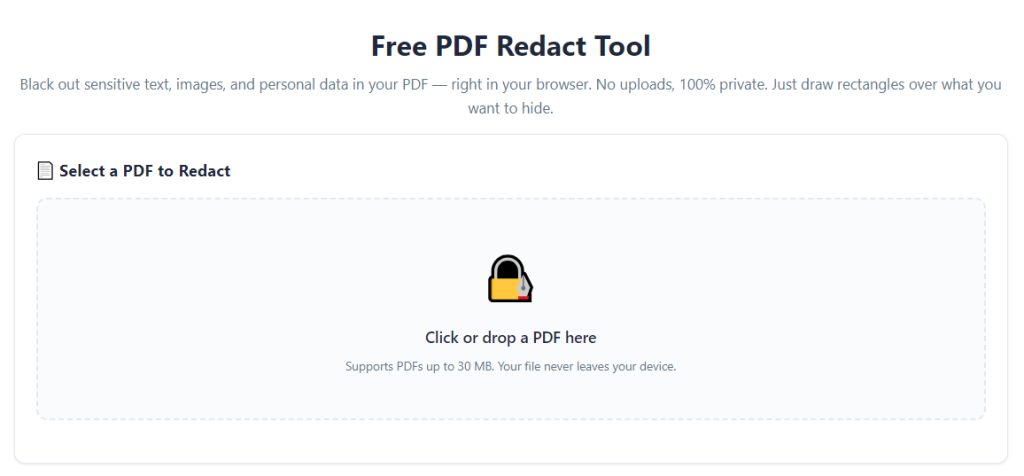
After learning the operation method, click the link below to enter the tool page for immediate use.