Whether you’re a student, small business owner, budget manager, or just someone who regularly compares numerical data, calculating percentage differences by hand is surprisingly tedious and easy to mess up. Simple math errors, confusing manual formulas, and constant double-checks eat up your valuable time. No matter if you’re comparing monthly sales figures, tracking retail price shifts, analyzing exam scores, or sorting out personal budget changes, accurate percentage difference values are essential for making smart, confident decisions.
This is exactly why a reliable percentage calculator to find percentage difference is such a handy everyday tool. You don’t have to memorize complex formulas, work through multi-step math problems, or second-guess your final results. Just plug in two numbers, and you’ll get precise, instant calculations. This straightforward, beginner-friendly guide will show you how to use a percentage calculator to find percentage difference flawlessly every time, while clarifying core concepts and helping you steer clear of frequent calculation errors.
What Is Percentage Difference, and When Do You Need It?
Before we jump into the hands-on tool tutorial, let’s break down what percentage difference actually is, and how it’s different from standard percentage change. These two calculations often get mixed up, and confusing them is the top reason people end up with inaccurate, misleading data in schoolwork, business reports, and personal tracking.
Percentage difference measures the relative gap between two similar values. It compares two numbers neutrally, without labeling one value as “original” or “new.” It simply shows how much two figures differ from each other in percentage form. This is perfect for side-by-side comparisons, like comparing two product prices, two monthly revenue totals, two exam scores, or two project completion metrics.
Percentage change, by contrast, is directional—it measures growth or decline from an old baseline value to a new one. Percentage difference is completely neutral and symmetric, making it perfect for fair, side-by-side comparisons of two independent numbers. Manual calculations require absolute values, average math, and multiple conversions, which is far too easy to botch. Using a trusted percentage calculator to find percentage difference eliminates all guesswork and delivers clean, precise results in the blink of an eye.
Real-Life Use Cases for Percentage Difference Calculations
You might not realize how often real-life scenarios call for this exact calculation. From classroom assignments to business reporting and personal finance tracking, a percentage calculator to find percentage difference saves tons of time and prevents avoidable mistakes. Here are the most common use cases anyone can relate to:
- Business and sales tracking: Compare revenue, order counts, or customer traffic between two months to see the exact percentage gap in performance.
- Price and budget comparison: Check how much two product prices, utility bills, or monthly expenses differ to make smarter purchasing and budgeting choices.
- Academic and test scoring: Teachers and students use percentage difference to compare quiz scores, exam results, or class averages fairly.
- Data analysis and reporting: Freelancers, marketers, and analysts compare two campaign metrics, conversion rates, or engagement numbers for simple, clear reports.
- Personal finance tracking: Compare income, savings, or subscription costs across two periods to spot noticeable changes quickly.
Step-by-Step Guide: Use a Percentage Calculator to Find Percentage Difference
Every standard percentage difference calculator follows this simple, foolproof workflow. You don’t need advanced math skills or technical experience, and you’ll get perfectly accurate results in just a few seconds. Follow these steps whenever you need reliable comparison data using a percentage calculator to find percentage difference.
Step 1: Gather Your Two Comparison Values
Start by gathering the two values you plan to compare. They can be whole numbers or decimals, covering prices, revenue totals, test scores, metrics, and more. Always double-check your figures before inputting them—typos are the most common cause of flawed calculation results. Keep in mind, percentage difference compares two equal, independent values, so there’s no designated “starting” or “updated” number in this process.
Step 2: Enter the First and Second Value
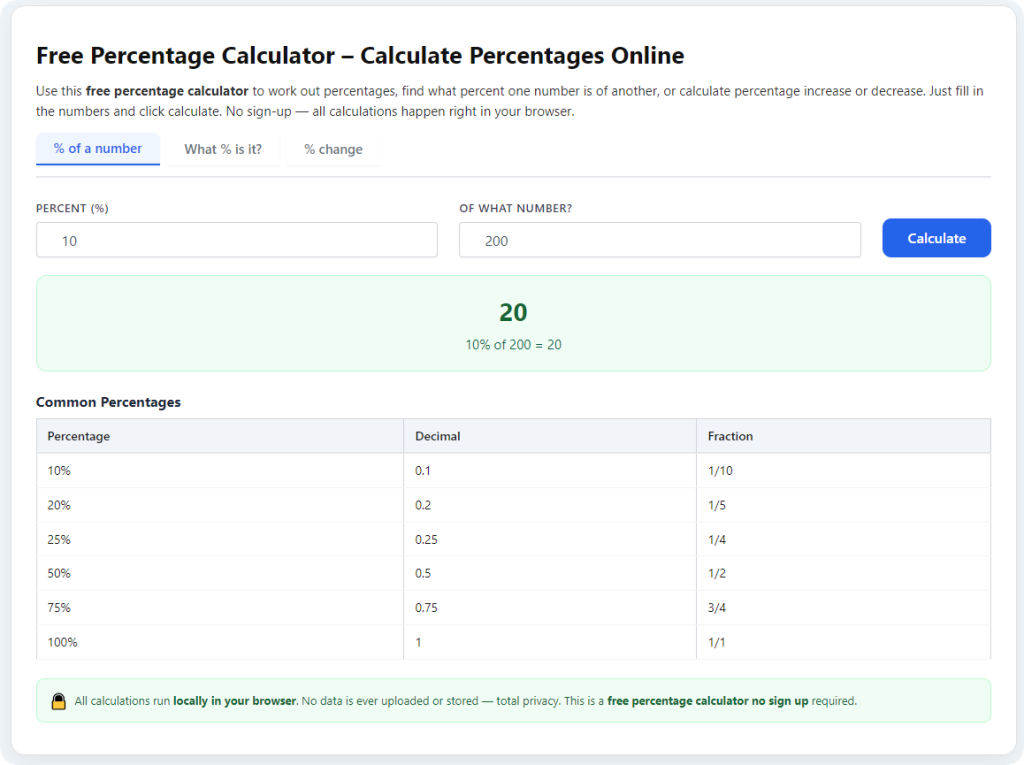
Pull up your go-to percentage calculator to find percentage difference. You’ll see two simple input fields marked for your first and second values. Enter your prepared numbers into the correct boxes. A huge perk of this tool is that input order doesn’t matter at all. Thanks to absolute value and average-based math, swapping your two values won’t alter your final percentage difference result.
Step 3: Initiate the Calculation
Once your values are correctly entered, tap the “Calculate” or “Find Difference” button. The tool instantly runs the full professional-grade percentage difference formula in the background. It automatically calculates the absolute gap between the two numbers, averages the two values, completes the division, and converts the final figure to a clean, easy-to-read percentage.
Step 4: Read and Understand Your Final Result
The tool will display your exact percentage difference result immediately. Most high-quality calculators also show the raw numerical difference and a quick breakdown of the math process for full transparency. This final percentage clearly shows the relative gap between your two data points, so you can easily see how similar or different your compared values truly are.
Manual Formula vs. Calculator Results
To help you understand how accurate these tools are, here is the standard percentage difference formula used by all professional calculators: Percentage Difference = (|Value 1 – Value 2| ÷ ((Value 1 + Value 2) ÷ 2)) × 100
Completing this entire process by hand is slow and risky. You have to calculate the value gap, apply absolute values to avoid negative results, find the average of your two numbers, divide correctly, and convert to a percentage. It’s incredibly easy to mix up steps or make minor arithmetic errors. A dedicated percentage calculator to find percentage difference eliminates all human error and finishes the entire sequence in mere milliseconds.
Pro Tips for Accurate Percentage Difference Results
Follow these simple professional tips every time you use a percentage calculator to find percentage difference, and you’ll always get clean, accurate, usable data for school assignments, business reports, and personal tracking:
- Always double-check your inputs: A tiny typo in either value will skew your percentage result. Spend one second verifying both numbers before calculating.
- Use percentage difference for fair comparisons only: Don’t confuse it with percentage change. Use difference when comparing two equal values, and change when tracking growth over time.
- Round final results wisely: For reports and schoolwork, round to one or two decimal places for clean, professional-looking numbers.
- Compare consistent data types: Always compare identical units, such as price to price, score to score, or revenue to revenue, to keep results meaningful.
Common Mistakes to Avoid
The most critical mistake people make is misusing percentage difference for directional growth tracking. If you need to measure increase or decrease from a fixed baseline, percentage change is the correct tool—using percentage difference here will produce misleading data that ruins your analysis and decision-making. Rushing through data entry is another common issue; even small typos create wrong results that skew budgets, reports, and school answers.
Final Thoughts
A reliable percentage calculator to find percentage difference is one of the most practical tools for students, business owners, analysts, and everyday users. It cuts out the stress of manual math, eliminates human error, and delivers fast, consistent percentage difference results for any two comparative values. Whether you’re tidying up your budget, analyzing business metrics, finishing coursework, or comparing market prices, this simple tool streamlines your workflow and guarantees accurate, trustworthy results every single time.
After learning the operation method, click the link below to enter the tool page for immediate use.