Content length compliance is one of the most basic yet critical rules for all writing tasks. Whether you are drafting social media posts, academic essays, professional emails, or application texts, every platform enforces strict character limits. Going over or under the required range can ruin your submission or lower content quality significantly.
Counting characters manually is extremely inefficient and error-prone. It takes valuable time to count every letter, space, and punctuation mark, and human error always leads to inaccurate results. Even basic document tools often show confusing data or require complicated steps to access accurate counts.
Worse, most online character counting tools force users to register accounts, verify emails, or log in before unlocking full features. This unnecessary barrier turns a quick check into a time-consuming process and risks private text data exposure. A reliable free character counter no registration solves all these issues effortlessly.
This detailed beginner guide explains why accurate character counting matters, the downsides of traditional counting methods, key benefits of a free character counter no registration, practical use cases, and a foolproof step-by-step workflow for precise text length checks every time.
Why Accurate Character Count Matters for All Content
Many writers underestimate how precise character limits impact the final performance and acceptance of their content. Small counting errors often lead to big consequences.
Meets platform and submission rules
Social platforms, academic portals, and business forms have fixed character limits. Over-length text gets cut off automatically, while under-length content appears incomplete and unqualified.
Prevents unnecessary content rejection
Schools, employers, and publishing platforms strictly follow length guidelines. Inaccurate character counts often result in assignment revisions, application rejections, or post publication failures.
Optimizes online content performance
Meta titles, descriptions, and social captions rely on precise character counts. Perfect-length content displays fully in search results and feeds, boosting visibility and user engagement.
Ensures consistent writing structure
Fixed-length writing tasks such as abstracts, summaries, and short answers require tight control. Accurate counting helps writers maintain concise, focused, and high-quality content structure.
Downsides of Manual Counting & Registered Tools
Most traditional character counting methods come with obvious flaws that slow down your workflow and reduce accuracy.
Manual counting is slow and unreliable
Human counting cannot avoid mistakes. Missing punctuation, spaces, or special characters leads to incorrect length estimates, which ruin your final content submission.
Built-in word processors show inconsistent data
Standard document editors often display different count results. Some exclude spaces while others include them, creating confusion and unreliable reference data.
Registered tools waste time on setup
Many online counters require account creation and email verification. Users must complete multiple steps just to access a basic character counting function.
Registered platforms risk private data leaks
Signed-in tools store user text data on servers. Personal essays, job application content, and private notes face potential privacy exposure risks.
Basic features locked behind paywalls
Several popular counters limit accurate character counting to premium users. Free versions often show incomplete data or contain disruptive advertisement pop-ups.
Key Benefits of Free Character Counter No Registration
A professional free character counter no registration eliminates every flaw of traditional counting methods, delivering fast, accurate, and private results.
Zero sign-ups and zero personal data required
You can access full counting features instantly without email, phone numbers, or account passwords. Every check remains completely anonymous and secure.
100% free unlimited usage
All core counting functions stay permanently free. There are no usage limits, trial periods, or forced upgrades for daily character checking tasks.
Instant accurate counting results
The tool analyzes your text in real time. It counts every character, letter, space, punctuation, and special symbol with perfect precision.
Protects text privacy completely
Since no account is created and no data is stored, your content never gets saved online. This is ideal for sensitive personal, academic, and business text.
Saves massive editing time
Real-time counting replaces slow manual checks. You can adjust content length instantly during drafting and revision stages.
Works on all devices and browsers
No downloads or installations are needed. The tool runs smoothly on desktops, tablets, and mobile devices for convenient on-the-go checks.
Must-Have Features of a Quality Free Character Counter No Registration
Top anonymous character counter tools include professional features that ensure precise and user-friendly performance.
Dual counting modes
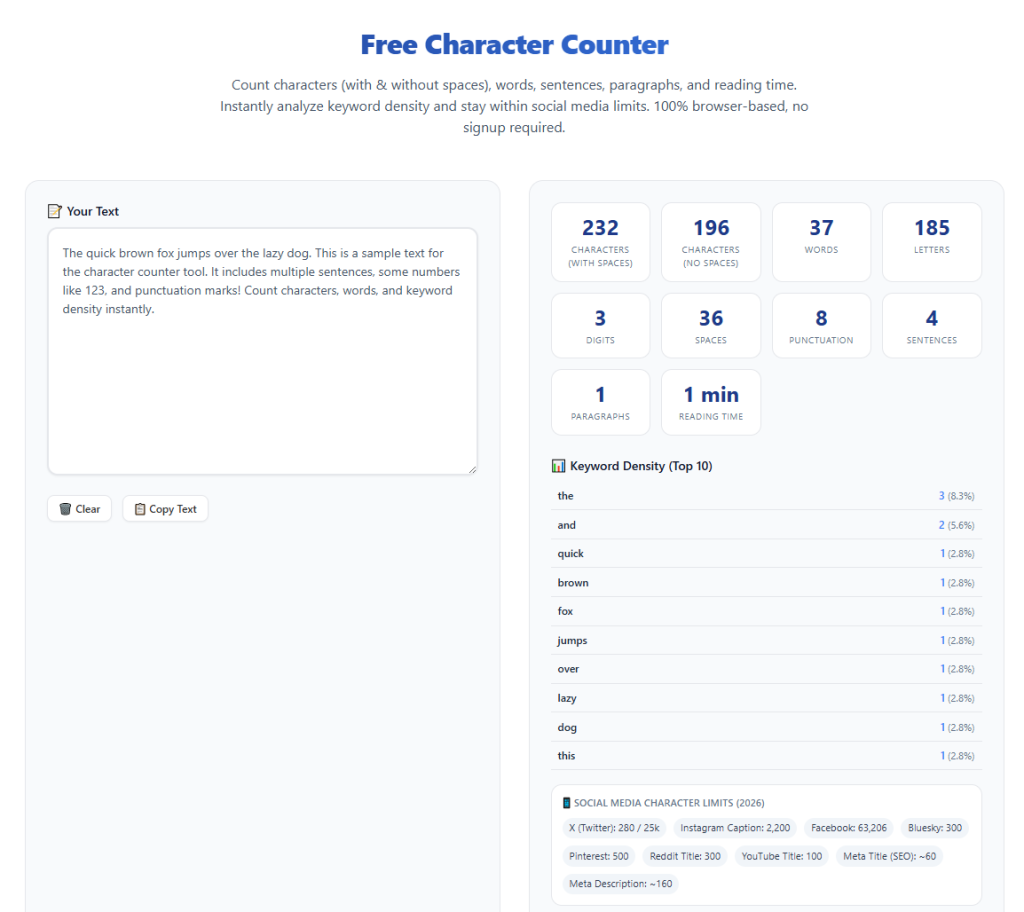
High-quality counters display both character count with spaces and character count without spaces. This meets different platform guideline requirements perfectly.
Word and line statistics
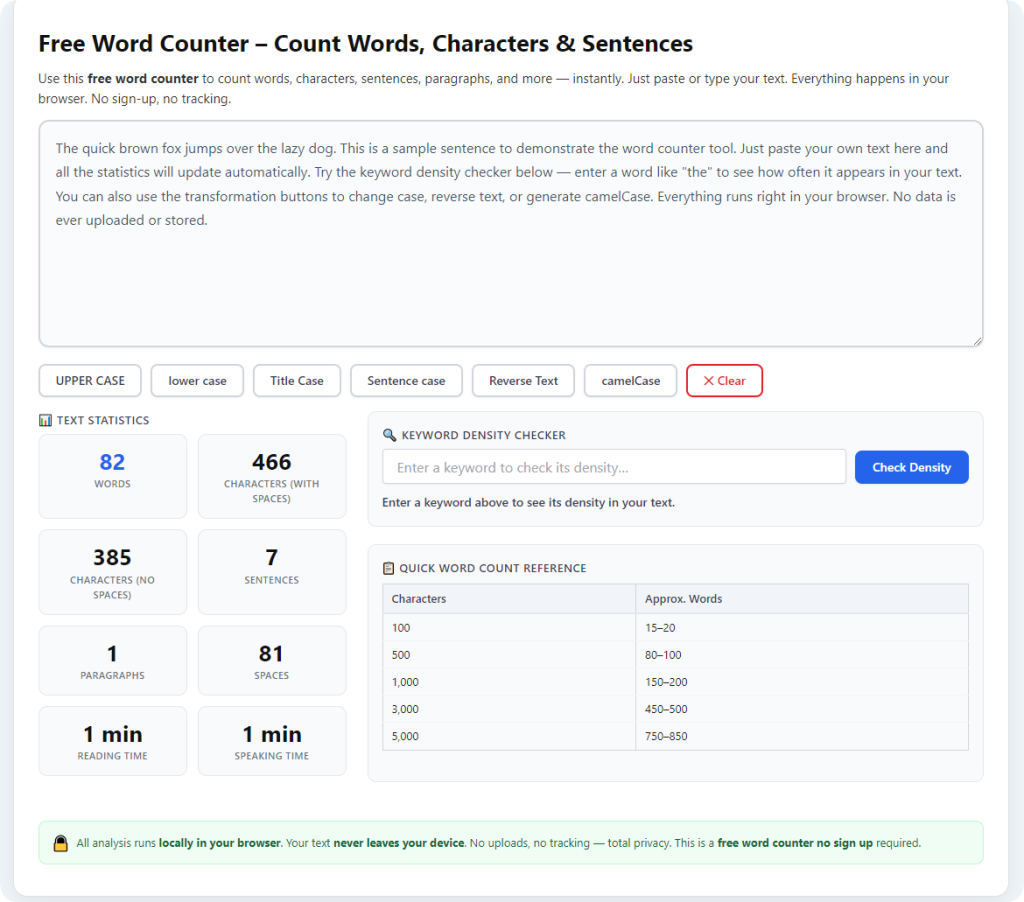
Besides character numbers, the tool shows total word count, paragraph count, and line count for comprehensive text analysis.
Real-time dynamic updates
Numbers update instantly as you type, add content, or delete text. You can monitor length changes continuously during editing.
Special character recognition
The tool accurately counts symbols, punctuation, emojis, and foreign characters that basic tools often miss or ignore.
Length limit reminder
Many premium free counters offer visual limit hints, helping users stay within standard platform character ranges while drafting content.
No text modification
The tool only analyzes text data. It never edits, changes, or alters your original content during the counting process.
Common Use Cases for Anonymous Character Count Tools
A free character counter no registration fits countless academic, professional, and daily content creation scenarios.
Academic writing and assignments
Students use the tool to check essay abstracts, short answers, and assignment summaries. Precise character counts ensure full compliance with school writing rules.
Social media content creation
Content creators optimize captions, bios, and post text for different platforms. Accurate counts prevent truncated text and ensure full content display.
SEO meta content optimization
Writers craft search engine titles and descriptions. Perfect character lengths maximize search visibility and click-through rates.
Job application and resume editing
Job seekers refine cover letters, personal statements, and resume summaries. Strict length control makes formal content concise and professional.
Business email and formal message drafting
Professionals keep official messages concise and regulated. Accurate counting avoids overly long or incomplete business communication.
Step-by-Step Guide: Use Free Character Counter No Registration
Follow this simple workflow to get precise character counts with zero registration and zero privacy risks.
Step 1: Prepare Your Draft Text
Finish your content drafting or copy the text you need to check. This includes essays, captions, formal statements, or any length-restricted content.
Make sure your core content is finalized to adjust length accurately.
Step 2: Open the Anonymous Counter Tool
Launch a reliable free character counter no registration. Confirm that the tool requires no login, email input, or personal information to start.
Step 3: Paste or Type Your Text
Paste your full text into the input box or type content directly inside the tool. The platform supports both short texts and long-form paragraphs.
Avoid fragmented text to ensure complete and accurate counting results.
Step 4: Check Real-Time Count Statistics
View the instant updated data, including total characters with spaces, characters without spaces, word count, and line count.
Compare the numbers with your required platform or submission limits.
Step 5: Adjust Content Length Accordingly
Shorten redundant sentences or add necessary details to meet the standard character range. Monitor real-time changes to avoid over-editing.
Step 6: Confirm and Finalize Your Text
Once your text fits the required character limit perfectly, copy the finalized content and save it for submission, publishing, or daily use.
Common Counting Mistakes to Avoid
These simple errors often cause inaccurate length control even for experienced writers.
Ignoring space counting differences
Some platforms count spaces while others do not. Always check both data sets to match specific guideline requirements.
Missing special symbols and emojis
Basic tools skip emojis and symbols. Use a professional anonymous counter to capture every valid character.
Counting before final editing
Early counting wastes time, as later edits change text length. Always count after completing full content revisions.
Expert Tips for Perfect Character Length Control
Use these professional tips to maximize accuracy and efficiency with your chosen tool.
- Always use a free character counter no registration for private content to protect your writing data.
- Check both spaced and non-spaced character numbers to fit all platform rules accurately.
- Complete all content edits first before final length checking to avoid repeated work.
- Use real-time typing updates to adjust length while drafting new content.
- Double-check SEO meta text and social captions to ensure full on-screen display.
- Avoid manual counting entirely to eliminate human error and save editing time.
Final Thoughts
Character counting is a basic but essential step for every formal and online writing task. Manual counting is slow and inaccurate, while registered tools create privacy risks and unnecessary access barriers.
A trusted free character counter no registration solves all these problems perfectly. It delivers accurate, real-time character statistics, supports all text types, and allows 100% anonymous, free unlimited usage.
Whether you are a student, content creator, or business professional, this tool streamlines your editing workflow, prevents submission errors, and ensures your content meets all length requirements.
By following this comprehensive guide, you can master precise character length control, produce compliant content every time, and improve overall writing efficiency effortlessly.
After learning the operation method, click the link below to enter the tool page for immediate use.